
Asset Sheet setup for Adobe XD for this test prototype.

Close up of how I like to make an asset sheet that the items are components which makes it must faster in the workflow.
I've seen many designers do this approach. I do find it very useful to have the asset sheet.

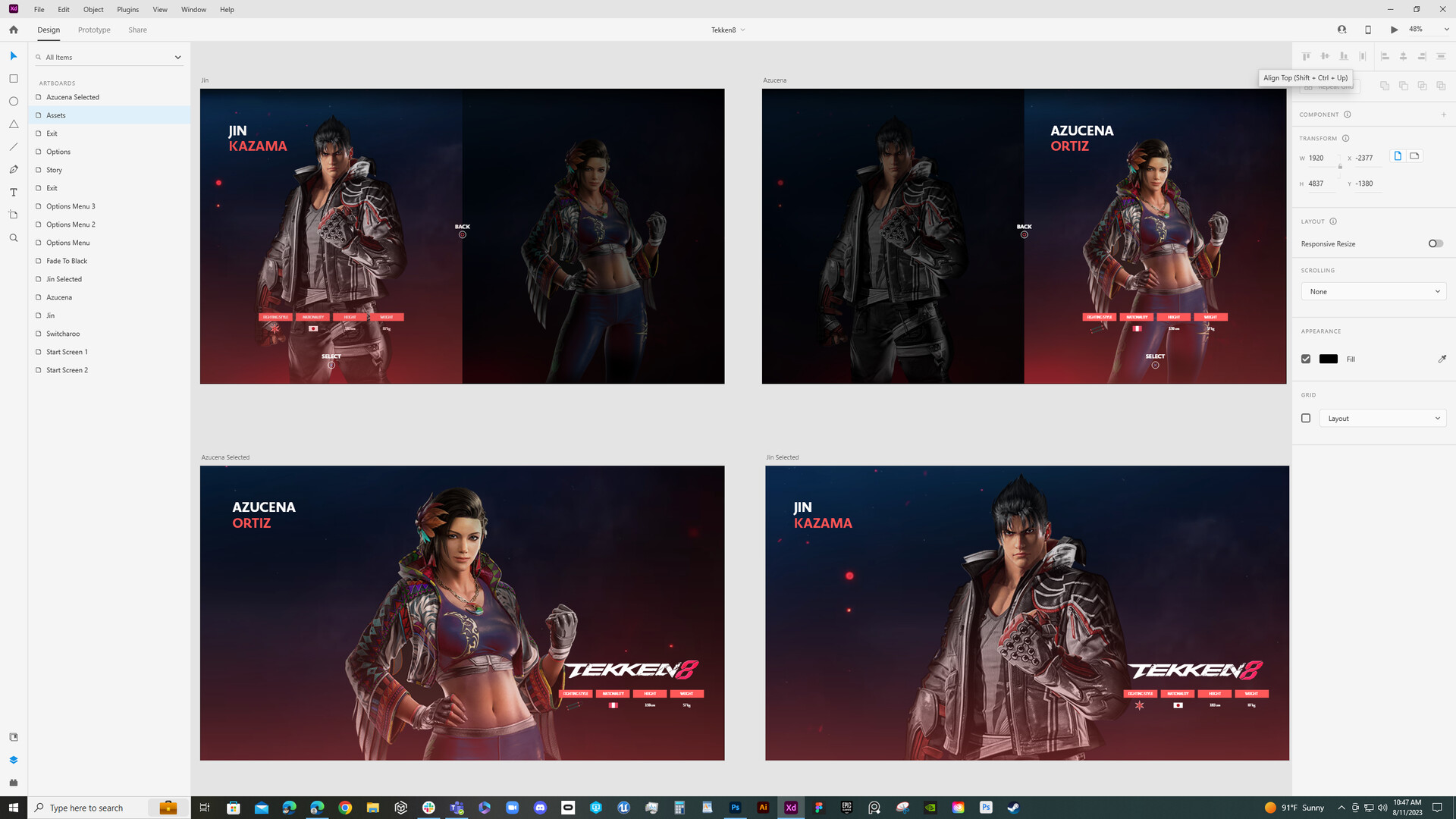
Adobe XD entire workflow for Tekken 8 menu interface prototype.

Setting up each art board help when prototyping as a whole. Here, I made separate character sheets to ensure the flow works correctly in an order sequence.
Here is a closeup of the character details when choosing a fighter.
This is an Asset Sheet to help keep everything organized and easy to grab components.
Setting up the artboards is important and also help organize the flow of the frontend user flow. Keeps all the steps clear and actionable when it comes to connecting the screens for testing.
Connecting all of the screens. A trick if it is a simple wireframe, you can connect the artboards instead of the actual buttons to keep edits on the fly and easy to locate.
Here's the test prototype in progress. I love how it came out and I got to play around with the "Look and Feel" of the new Tekken 8 fighting game and how I may change up the style.
I love me some fighting games and this one is one I always treasured as a kid playing for hours. Now there's some exciting updates to the beloved franchise. It has inspired me to do a prototype demo using Adobe XD putting together my version of the new Tekken 8 fighting game.
Demo consists of designing a simple menu and connecting for all of the screens. Added Options and Exit screens to the already tutorial base for Start and Character Select. Using the PlayStation controller to make it easy to connect screens with a controller button press. Any format and art assets can be used to do the prototype since it's more about learning Adobe XD and how to put together a simple frontend menu. Learning Adobe XD is very similar to Figma, knowing both as UI designer is key to testing and share with the team.
Special shoutout to Dansky @ForeverDansky in making a great tutorial inspiration for a mock game prototype. He has a lot of other tutorials as well, check out his classes. www.dansky.com/courses/the-adobe-illustrator-masterclass
